


You just:
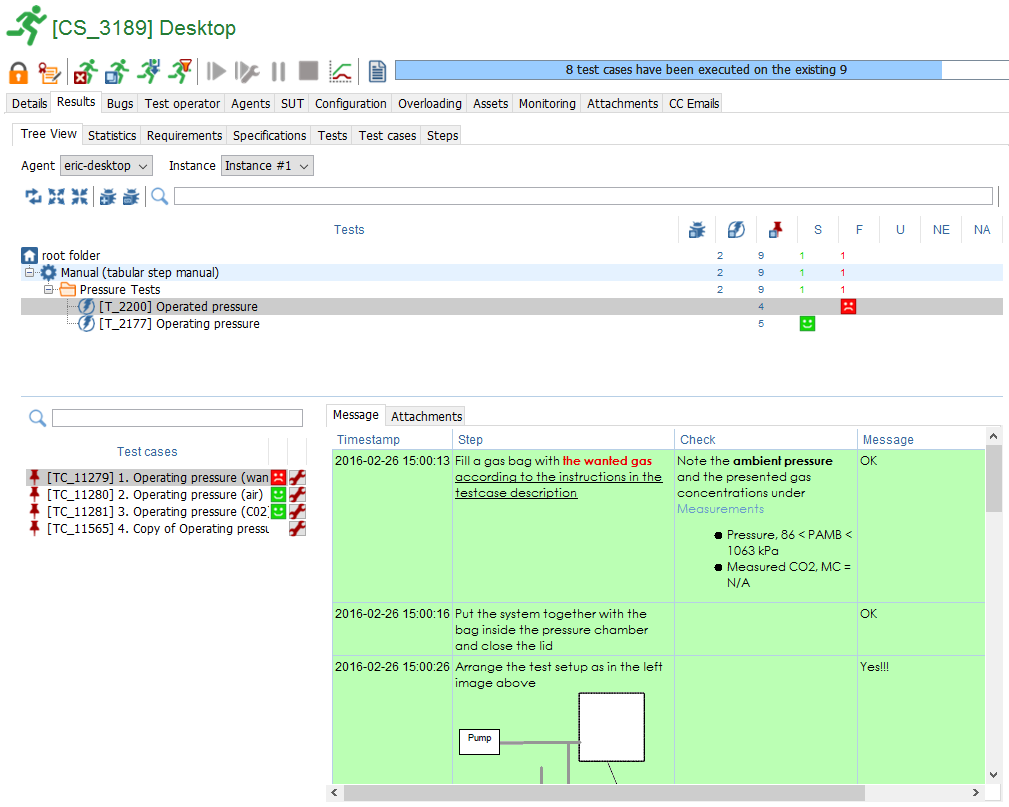
- select the session in which the tests have been executed
- then select Results > Treeview
- select the Test you wish to get some details on
- select the Testcase
=> the comments and attachments appear on the right panel:
https://xqual.zendesk.com/attachments/token/JH7pU7CrJK0o3bNhus5GfG1Xy/?name=inline726056970.png
Rob (XQual Support)
XQual : the test orchestration company
0 Comments